TP-Link
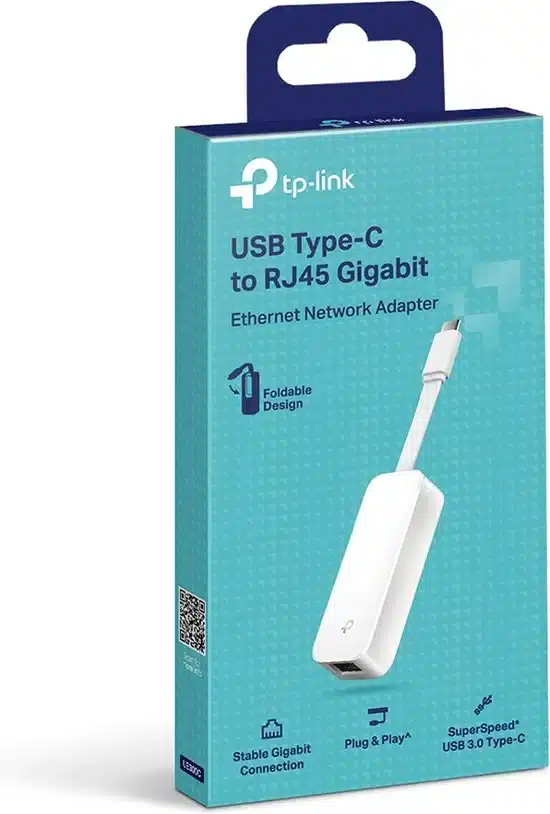
TP-Link USB Type C to Gigabit Ethernet Network Adapter Plug and Play - TL-UE300C
KES 3,000
In Stock- USB 3.1 Gen 1 Type-C Host Connection
- Gigabit Ethernet Port
- Bus Powered
- Foldable & Portable Design
- Plug-and-Play Design
- Supports Multiple Platforms
- Give Wired Internet Connections to USB-C Devices
- Gigabit Network for Fast, Stable Data Transfer
Product Description
TP-Link USB Type C to Gigabit Ethernet Network Adapter – TL-UE300C
YWi-Fi is everywhere now, but you can't beat a wired Gigabit Ethernet when you need speed and no lag. This is super important if you work from home, game a lot, stream stuff in 4K, or are always on Zoom. The TP-Link TL-UE300C USB-C to Gigabit Ethernet Adapter is a top pick if you have a slim Ultrabook, MacBook, Chromebook, iPad Pro, or Windows tablet that doesn’t have an RJ45 port.
What's the TP-Link TL-UE300C?
Basically, the TP-Link TL-UE300C is a small USB Type-C to RJ45 Gigabit Ethernet adapter. Just plug it in, and boom, you’ve got a wired network port on any device with USB-C or Thunderbolt 3/4.
Here’s a quick look at the specs:
- Interface: USB 3.1 Gen 1 Type-C (you can plug it in either way)
- Ethernet port: 1 × Gigabit RJ45 (10/100/1000 Mbps)
- Chipset: Realtek RTL8153 (known to be reliable)
- Speeds: Full Gigabit (up to 1000 Mbps)
- LED lights: Show if it's connected and working
- Size: 71 × 26 × 16.2 mm (fits in your pocket)
- Weight: ~20 g
- Works with: Windows 11/10/8.1/8, macOS (up to Sequoia 15.x), Linux, ChromeOS, iPadOS, Android (some devices)
Some cheap adapters only do Fast Ethernet (100 Mbps) or keep disconnecting. But the TL-UE300C uses a good Realtek chipset and is built well by TP-Link, so it works without issues.
Why Bother with Wired Ethernet Now?
Wi-Fi 6E and Wi-Fi 7 are around, but Gigabit Ethernet is still better in some cases:
- Less lag – Matters for gaming and trading stocks
- Steady speed – No problems from microwaves or other Wi-Fi networks
- More secure – Harder to hack than Wi-Fi
- Better video calls – No more bad connection messages
- Fast file transfers – Transfer a 1 GB file in about 8 seconds instead of 30+ seconds on Wi-Fi
- Power over Ethernet option – Can be used with PoE injectors in certain setups
If you have any of these, you know the struggle of not having an Ethernet port:
- MacBook Air/Pro (M1, M2, M3, M4)
- Dell XPS 13/14/16, Lenovo Yoga, HP Spectre/Envy
- Microsoft Surface Pro 9, Surface Laptop
- iPad Pro 11″ & 12.9″ (with USB-C)
- Samsung Galaxy Tab S8/S9
- Most new Chromebooks
It feels well-made. The plastic doesn’t creak, and the USB-C plug is strong. Plus, the Ethernet port folds in, so it's easy to carry around and protects the connector in your bag.
Super Easy to Use – No Drivers Needed
The best part about the TL-UE300C is that it just works:
- Windows 11/10 – Drivers are built-in; plug it in, and you’re online in a few seconds
- macOS Ventura, Sonoma, Sequoia – It recognizes it right away; no drivers needed
- ChromeOS – Finds it automatically; great for schools
- iPadOS 17/18 – Shows up in Settings; good if you have a cellular iPad and need reliable internet in hotels
- Linux – Works instantly on Ubuntu, Fedora, Debian, etc.
No need to hunt for drivers online. This is awesome for companies that don’t let you install drivers.