TP-Link
UGREEN AC650 11ac Dual-Band Wireless USB Adapter - CM448
KES 2,200
In StockKey Features
- Dual-Band:-5 GHz: Gets you up to 433 Mbps – great for streaming stuff, gaming, and fast downloads -2.4 GHz: Up to 200 Mbps – good for everyday stuff and reaches farther.
- Speed: It’s an AC650 class adapter, so it can theoretically hit 633 Mbps.
- Chip: Uses a Realtek RTL8811CU – works well, doesn’t overheat, and has good driver support.
- Soft AP: Can turn your PC into a Wi-Fi hotspot to share your internet.
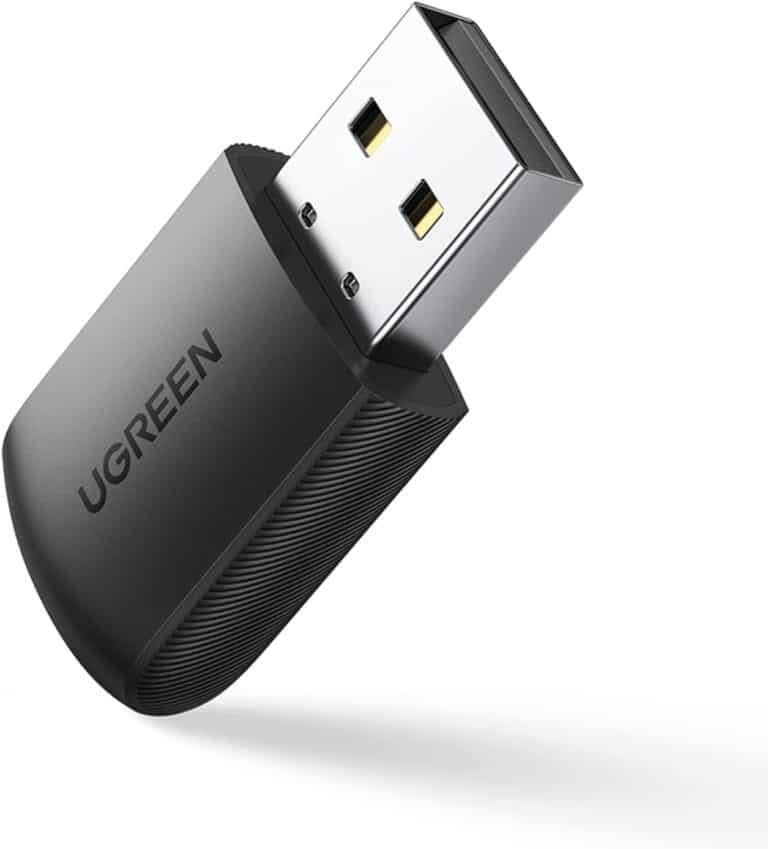
- Size: Super small – just 40 × 19 × 9 mm and weighs less than 10 g. You’ll barely notice it in your USB port.
- Easy Setup: Just plug and play on Windows 10/11 (drivers install automatically). You’ll need to manually install drivers for Windows 7/8, Linux, and older macOS versions.
- Works With: – Windows 7/8/8.1/10/11
– Linux (most versions)
– macOS (some versions)
- Security: Supports WPA/WPA2/WPA3 encryption.
- LED: A blue light shows when it’s on (stays solid when connected, blinks when sending data).
- USB: Uses USB 2.0 (but works with USB 3.0 too, without losing speed).
- Antenna: No antenna sticking out – uses an internal one that’s a good compromise between size and range.
Product Description
UGREEN AC650 11ac Dual-Band Wireless USB Adapter - CM448
These days, a fast internet is a must-have, not just a nice thing to have. Slow WiFi can be super annoying whether you're watching videos, playing games, working remotely, or just surfing the net. If your computer doesn't have WiFi or its card is old, the UGREEN AC650 11ac Dual-Band Wireless USB Adapter CM448 is a cheap way to get modern dual-band WiFi using your USB port.
YThis small WiFi thing gives you speeds up to 433Mbps on the 5GHz band and 200Mbps on the 2.4GHz band. It’s one of the best USB WiFi adapters you can get . In this review, we'll check out what it can do, how well it works, how easy it is to set up, if it works with your stuff, and why it's a great pick to upgrade your PC's WiFi. So, if you're looking for a UGREEN AC650 review or the best dual-band USB WiFi adapter, you're in the right spot.
Why use a USB WiFi like the UGREEN CM448?
A lot of older computers or cheaper builds don't have WiFi, so you have to use Ethernet cables. But running cables all over the place looks bad and isn't easy. That's where USB WiFi adapters come in handy—just plug them in, and boom, you've got wireless.
The UGREEN AC650 (model CM448, also called 20204) is a cool USB WiFi thingy because it uses the 802.11ac (WiFi 5) standard, has dual-band, and is super small. Old adapters that only use 2.4GHz can have problems, but the CM448 lets you use the 5GHz band, which is cleaner and faster, so you don't get any lag.
We have this adapter at Phonex Tech and can ship it out fast. Plus, we usually have good prices and deals on other UGREEN stuff like chargers and cables.
Key Features:
- Dual-Band (2.4GHz + 5GHz)
- 2.4GHz: Up to 200Mbps – Good for stuff like browsing the web or checking email.
- 5GHz: Up to 433Mbps – Great for watching HD videos, gaming, and downloading big files.
It picks the best band for you based on signal.
- Small
It's tiny (just 40 x 19 x 9 mm) and weighs next to nothing. You won't even notice it sticking out of your computer. Plus, it has a cap to keep dust out.
- WiFi Hotspot
You can turn your computer into a WiFi hotspot. It's a great way to share your internet with your phone or laptop, especially when you're traveling.
- Good Chip Inside
It uses the Realtek RTL8811CU chip, which is reliable, doesn't use much power, and keeps a steady . This chip helps things run better when lots of people are using the same network.
- Safe and Simple
It has WPA/WPA2/WPA3 security to keep your private. A blue shows when it's on and blinks when it's sending .
- Works Everywhere
- Windows 11/10/8.1/8/7 (just plug and play on Win 10/11)
- macOS (some versions might need drivers)
- Linux kernels 2.6.18–5.3
It works best on Windows. Linux users say it's easy to find the right drivers.
Compared to other options like the TP-Link Archer T2U, the UGREEN CM448 is built better and gives you stable speeds without overheating.
Setup:
Setting up the UGREEN AC650 CM448 is easy:
- What's in the Box: The adapter, a CD with drivers (or get them online), and a quick guide.
- Plug It In: Put it into a USB port.
- Get the Drivers: Windows 10/11 usually does it automatically. If not, use the CD or get the drivers from UGREEN's website.
- Connect: Find your WiFi in the settings and type in the password.
The CM448 works really well for what it costs
- Speed: People get around 350–420Mbps on 5GHz and 150–180Mbps on 2.4GHz.
- Distance: It covers a good distance, even through walls.
- Gaming and Videos: Games run smoothly, and videos don't stop to load.
- Hotspot: It shares at around 300Mbps, which is good for phones and tablets.
The only downsides are that it's not WiFi 6, so if you have super-fast internet, you might want a better model. Also, it doesn't have an antenna.
The UGREEN is a good deal, small, and has cool features.
Common Issues and Troubleshooting
- No Detection: Try a different USB port or reinstall drivers.
- Slow Speeds: Ensure you're on 5GHz and close to the router.
- Linux Issues: Use dkms modules for RTL8811CU.